Shopify blog SEO takes more than a draft. You need topics your customers search for, accurate advice, useful product links and a post published on your store. RankSpot handles the research-to-publish workflow. Shopify’s native AI helps you draft inside the admin, while Plug In SEO helps you find store SEO issues.
Pay attention to the publishing handoff. If a tool delivers text outside Shopify, you still have to format it, add links and metadata, and upload it. Tools that publish for you save those steps. You remain responsible for product claims either way.
What a Shopify blog SEO tool should actually do
Choose the best Shopify blog app for your store based on the work you want to hand off:
Look for a buyer question you can answer well. “How to choose a washable dog bed” gives you a reason to link a suitable collection; dog trivia does not. Check the search engine results page to see if shoppers want a guide or a product listing.
Write the answer with enough detail to help someone decide, without guessing at product features.
Add a clear title, readable headings, descriptive image alt text and relevant links to your products and other posts.
Know what happens at the handoff. Some tools give you text to paste, while others save or publish the post in Shopify.
After publication, compare search impressions and clicks with visits to linked product pages. That tells you more than an AI-generated “SEO score” alone.
Shopify lets you edit a post’s search listing, including the title, description and URL handle. Your writing process needs to account for those fields. Search engine optimization (SEO) best practices also include useful internal links, descriptive alt text and relevant external links to sources when a claim needs support. These help readers navigate your web pages; they cannot rescue an unhelpful post. If picking topics takes too long, start with a high-intent keyword framework.
Best AI blogging tools for Shopify stores: quick comparison
Tool | Best fit | Topic and draft workflow | Shopify handoff | Honest limitation |
|---|---|---|---|---|
RankSpot | Lean teams wanting ongoing blog production | Keyword research, content plan, long-form writing and images | Direct Shopify publishing | More automation than a merchant who wants to hand-write every post needs |
Shopify Magic and Sidekick | Merchants who write in the native editor | Prompt-based titles and drafts within Shopify | Save and publish in Shopify | Does not replace a research and publishing plan |
Plug In SEO | Stores improving site SEO alongside content | SEO issue detection rather than end-to-end blog writing | Shopify app | Not a substitute for researching and writing useful articles |
Bloggle | Merchants who want a visual blog editor | Drag-and-drop layouts and live SEO guidance | Creates posts in Shopify | You still need to plan topics and review the copy |
DropInBlog | Teams wanting a dedicated blog editor | Blog editor with in-editor SEO checks and product embeds | Connects a separate blog workflow to your store | A different publishing setup from Shopify’s native editor |
Publishing often will not make an unrelated topic useful to your customers. Start keyword research with the search queries that lead to a product decision. Google Keyword Planner can suggest relevant keywords; choose those your ecommerce store can answer well. For business owners, useful target keywords match products they actually sell, not just high-volume topics. Treat suggested phrases as considered keywords only after checking what shoppers mean by them in search results.
RankSpot: for a research-to-publish Shopify workflow
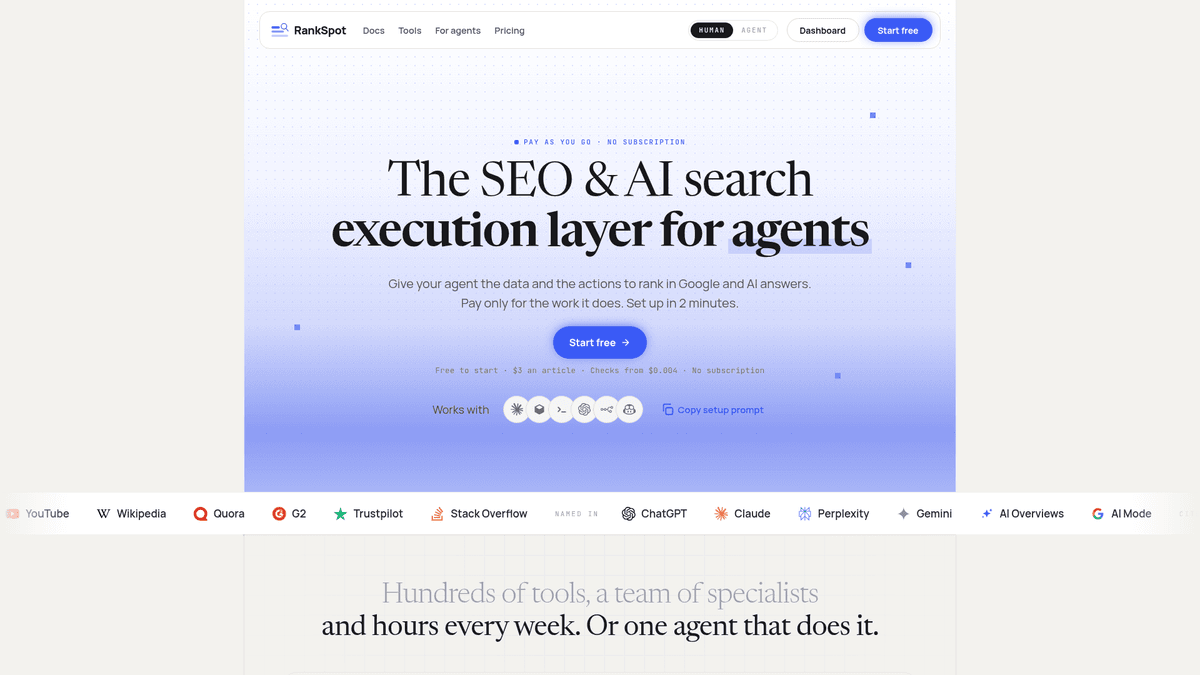
RankSpot suits founders who do not have time to juggle research, writing and uploading. It researches keywords, writes posts and publishes to Shopify with your approval. It works on traditional search and visibility in AI answers. RankSpot lists a pay-as-you-go rate of $3 per article, with no subscription.
Say you sell refillable cleaning supplies. You could write about how to choose a refill format and link to the matching collection. Before approval, correct any product details in the draft. RankSpot also finds forum conversations where buyers discuss their problems.
Best for: a small store or lean marketing team that wants consistent content without uploading each article to Shopify. Trade-off: you must review and approve posts before they go live.
Shopify Magic and Sidekick: for drafting inside Shopify

Shopify’s native AI works well if you already know what to write. Shopify’s help instructions call the blog-writing assistant Sidekick. Enter a prompt in the admin to generate a title or post content, edit the result, save it and publish. Shopify also uses the broader Shopify Magic name for its AI writing tools.
Give it a narrow prompt: “Explain how to measure for a dog harness; avoid sizing claims until I provide our size chart.” Then add your product details, images and collection links. You still need to choose high-intent topics and plan the next post.
If you prefer writing and editing in Shopify, this is the natural place to start. You still supply the topic strategy and product facts, then do the final on-page checks.
Plug In SEO: for checking the store around the blog
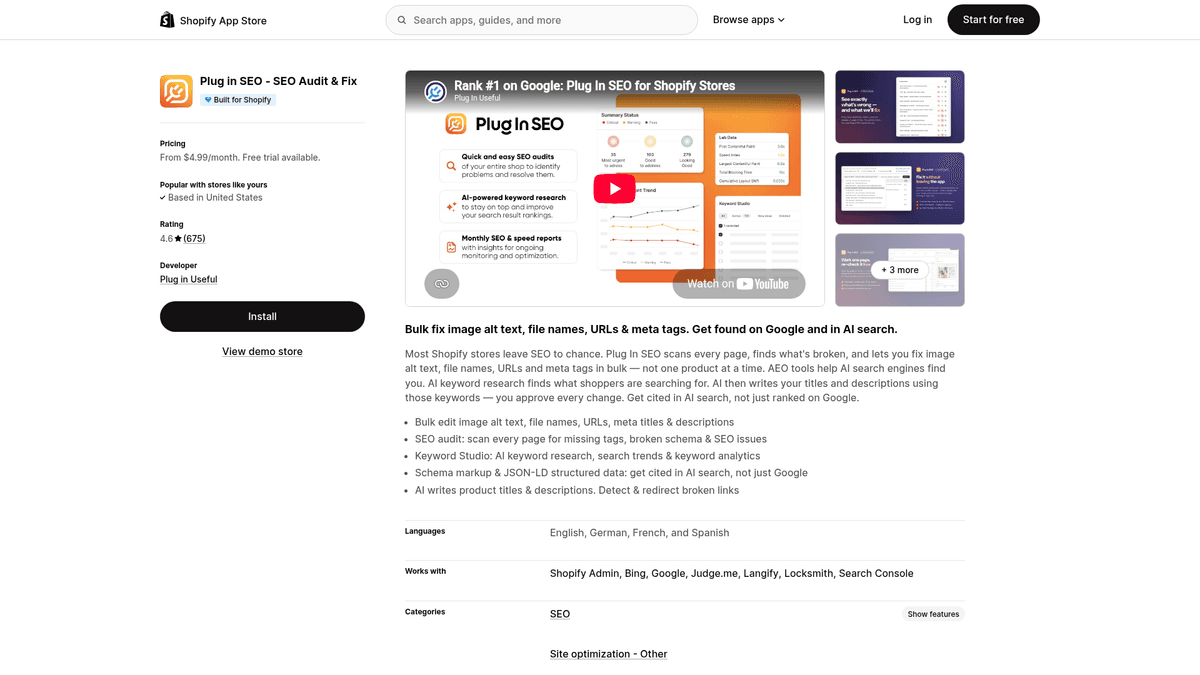
Plug In SEO helps with the site audit side of blogging. Its Shopify App Store listing includes SEO audits, metadata and image-alt editing, keyword research, schema and broken-link fixes. The listed Starter plan costs $4.99/month. If you already produce articles, it can help you spot site issues that affect search visibility.
You still need a writer or drafting tool to create a buying guide and publish it. Look at the questions visitors bring to your store when deciding what to write next.
It suits a merchant who already has a writer or drafting tool and wants a store SEO companion. You will still plan and write the articles.
Bloggle: for building richer posts inside Shopify

Bloggle gives you a drag-and-drop editor with content blocks, product galleries and live SEO guidance. It suits a store that already has ideas and writers but wants more control over how buying guides look and how products appear in them. Posts stay in Shopify, so you can keep editing within your existing store setup.
Best for: merchants who want a more flexible editor. Trade-off: its SEO score can flag missing elements, but it cannot decide whether your advice or product recommendations are right for the shopper.
DropInBlog: for a dedicated blog editing workflow

DropInBlog offers a separate blog editor, an SEO post analyzer and Shopify product embeds. It is worth considering if you publish with a team and want more in-editor checks than the native Shopify blog provides. Check how the blog will appear on your store before switching, especially if you have existing posts and URLs.
Best for: teams that prioritize editing and blog presentation. Trade-off: it changes the publishing setup rather than simply drafting posts in Shopify.
Which workflow should you choose?
Your situation | Practical choice | What you still do |
|---|---|---|
You have time to plan posts but need help getting a first draft down | Shopify Magic and Sidekick | Research topics, verify product claims and publish |
You already produce content and need to spot store SEO issues | Plug In SEO alongside your writing process | Create the articles and connect them to products |
You write your own posts but want a richer editor and product blocks | Bloggle | Plan topics and check product claims |
You want a dedicated blog editor with in-editor SEO checks | DropInBlog | Check the integration and review posts before publishing |
You need topics, articles and Shopify publishing to run regularly | RankSpot | Approve brand-sensitive claims and watch performance |
Comparing dedicated AI blogging vendors? See the BlogSEO AI alternatives guide.
A practical blog-to-publish routine
Start with a question a customer asks before buying. A bedding shop could answer “percale vs sateen sheets for hot sleepers,” explain the feel of each weave and link to matching collections. Only recommend a product that fits the answer.
Before a post goes live, check these details:
Compare dimensions, materials, compatibility, care instructions, shipping terms and warranties with your catalog. AI can draft explanations; your store is the source of truth for product claims.
Add something only you can show: a comparison photo, a first-hand usage note, a sizing example or a customer question.
Link to the collection or product where it helps the reader decide. Add a related guide when it answers the next question.
Write a specific search title and description with a readable URL handle. View the finished post in your storefront theme.
Track impressions and clicks, then look at visits to the linked product pages. Update stale details before publishing a near-duplicate post.
Edit the title and meta description for a page
In Shopify admin, open Content > Blog posts, choose the post and edit its search engine listing. Shopify’s blog post management instructions cover the listing settings and publishing controls. Tell readers what they will learn in the page title and give them a reason to click in the meta description. For the bedding example, “Percale vs Sateen Sheets for Hot Sleepers” says more than “Our Bedding Blog.” Use the description to explain the comparison without repeating the title tag word for word. Compare titles and meta descriptions in search results, then make yours specific to the question you answer. A clearer snippet can help attract relevant clicks, but cannot guarantee a boost in search rankings.
The URL handle should describe the subject, too. Keep the main heading and title consistent, but do not fill every heading or alt tag with the same target keyword. Add descriptive alt text for an image of the actual fabric; link the relevant collection only where it helps someone choose. After publishing, use Google Search Console to see which search queries bring impressions and clicks to the post in Google search results. If the post gets impressions but few clicks, revisit the page title and description before commissioning a similar article.
AI-written blog posts can be responsible when someone with product knowledge checks the advice and the post genuinely helps a shopper. Google puts the responsibility plainly:
"It is critical to manually factcheck and review all AI-generated content for accuracy and trustworthiness before publishing." - Google Search Central
Auto-publishing saves time, but you still need to catch invented specifications. If you sell products with health or safety implications, give any advice that could affect a purchase an extra review.
The verdict
If you need topic research, writing and Shopify publishing in one workflow, RankSpot is the best fit here. Try it if planning, writing and uploading keep slipping down your to-do list. Use Shopify Magic for hands-on drafting, Bloggle for a more flexible in-store editor, DropInBlog for a dedicated blog workflow, and Plug In SEO alongside an existing writing process. Your customers still need trustworthy answers, and you still need to get the product details right.